Skip to content
AppFoyer

Product tour

What the dashboard actually looks like

Six screens, no mockups — these are captures of the real dashboard. If you would rather see the result than the tool, the live example site is a real published app on appfoyer.page.

The checklist is the product
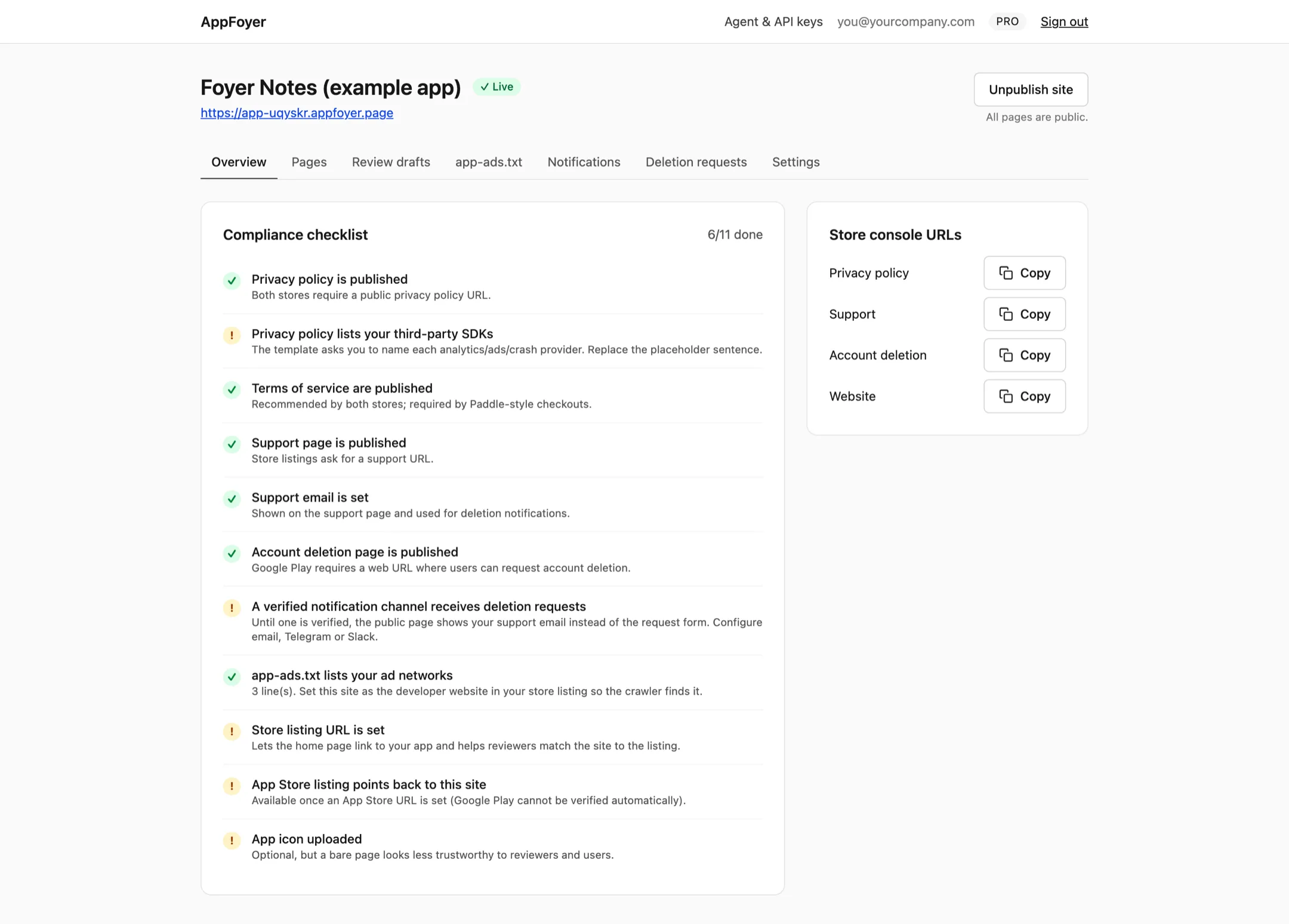
The AppFoyer dashboard showing a compliance checklist with eleven items, six of them done.
Every item is something a store asks for, with the reason next to it. Green means the store would accept it today; amber means you still have something to do. Items that depend on your store listing stay open until you paste the listing URL — nothing here is guessed on your behalf.

Markdown in, a store-ready page out

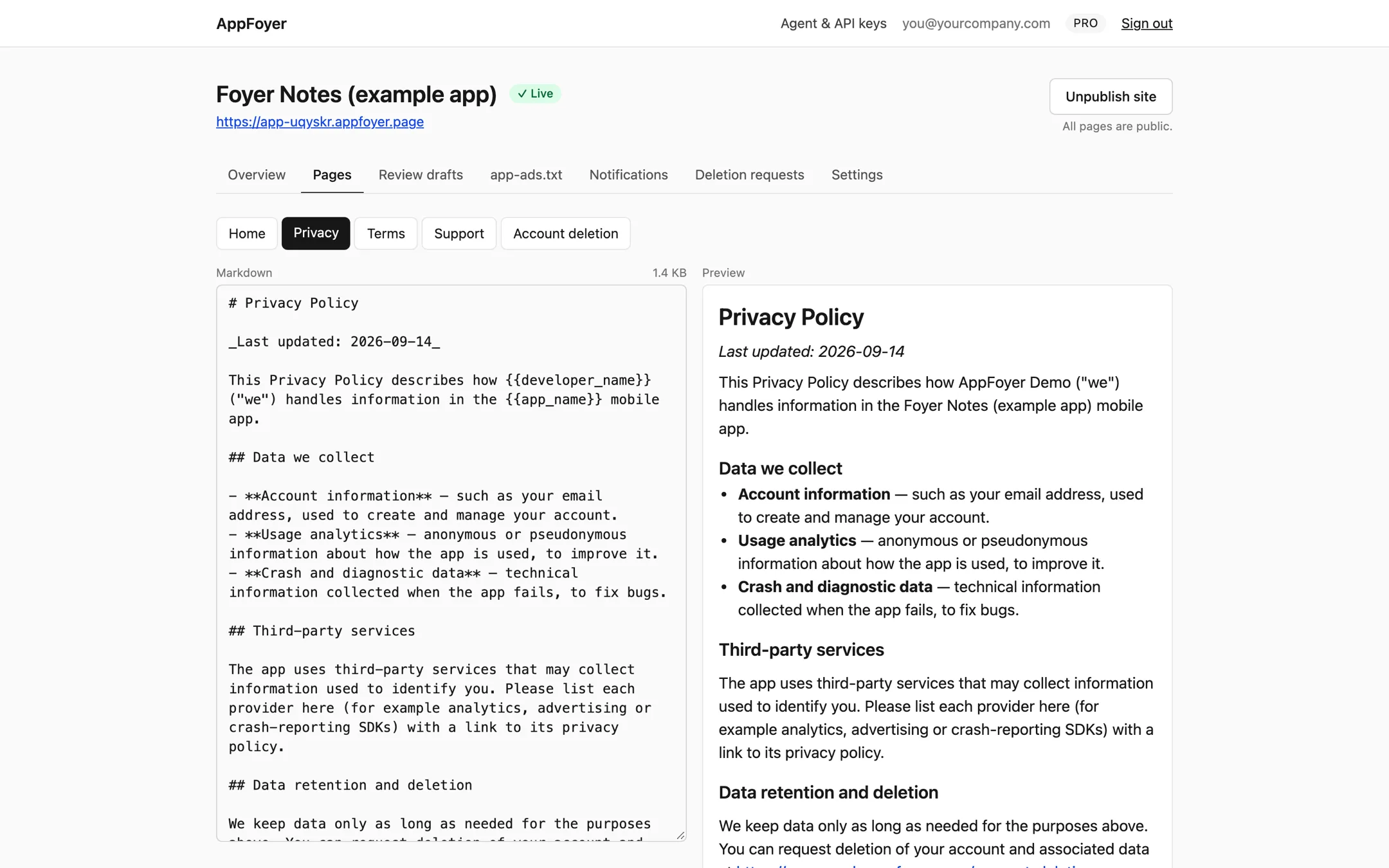
A split editor: Markdown source on the left, the rendered privacy policy on the right.
The generated templates fill in your app and developer name and the data your app collects. You edit Markdown on the left and see the published page on the right. The templates are a starting point, not legal advice — you are responsible for what they end up saying.

app-ads.txt, served the way crawlers expect
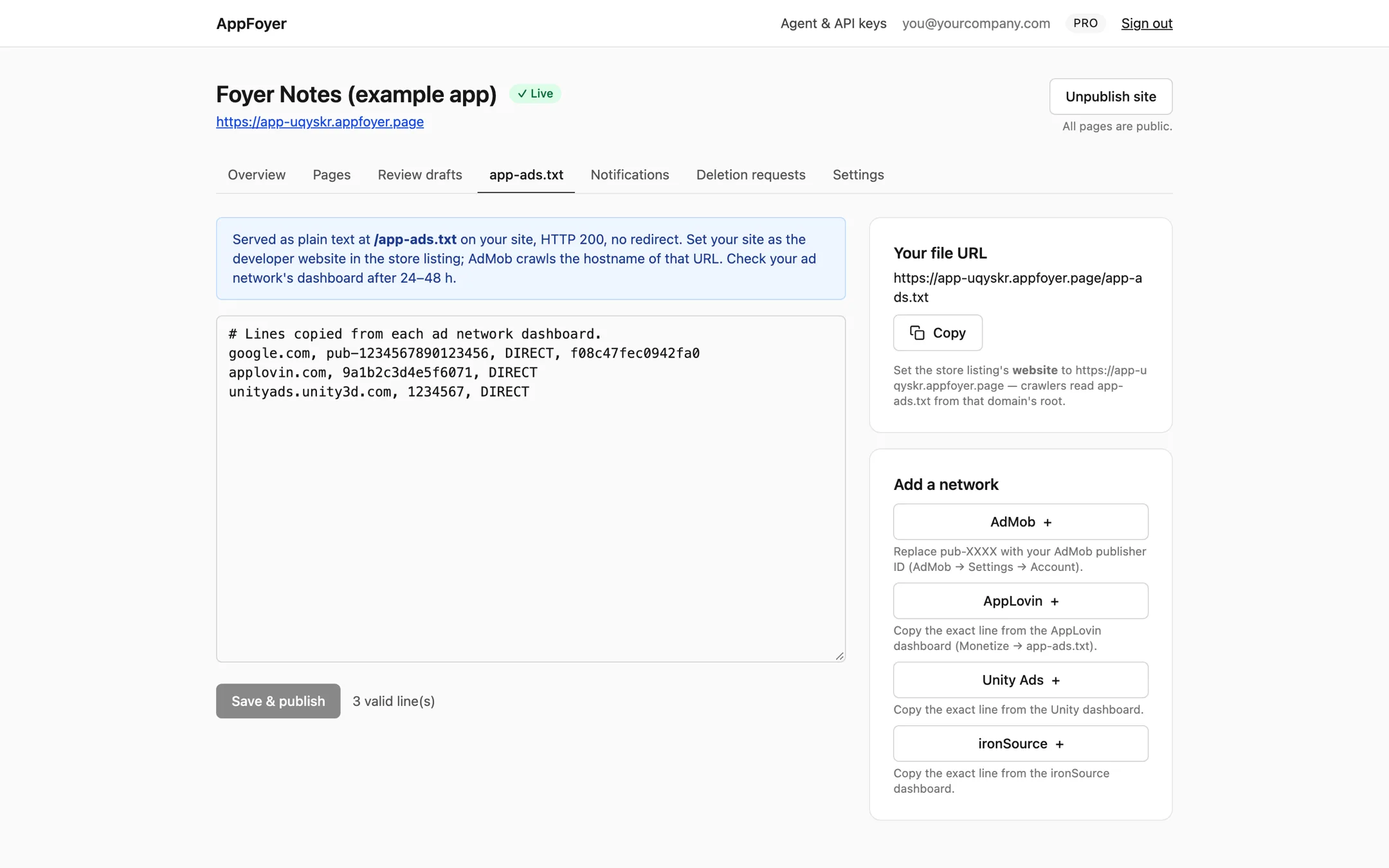
The app-ads.txt editor with three ad-network lines and buttons to add AdMob, AppLovin, Unity Ads and ironSource.
Paste the lines from each ad network, or start from a template line. The file is served as plain text at your site's root, HTTP 200, with no redirect — which is what the crawlers follow. Set the same address as the developer website in your store listing.

An agent drafts, you publish

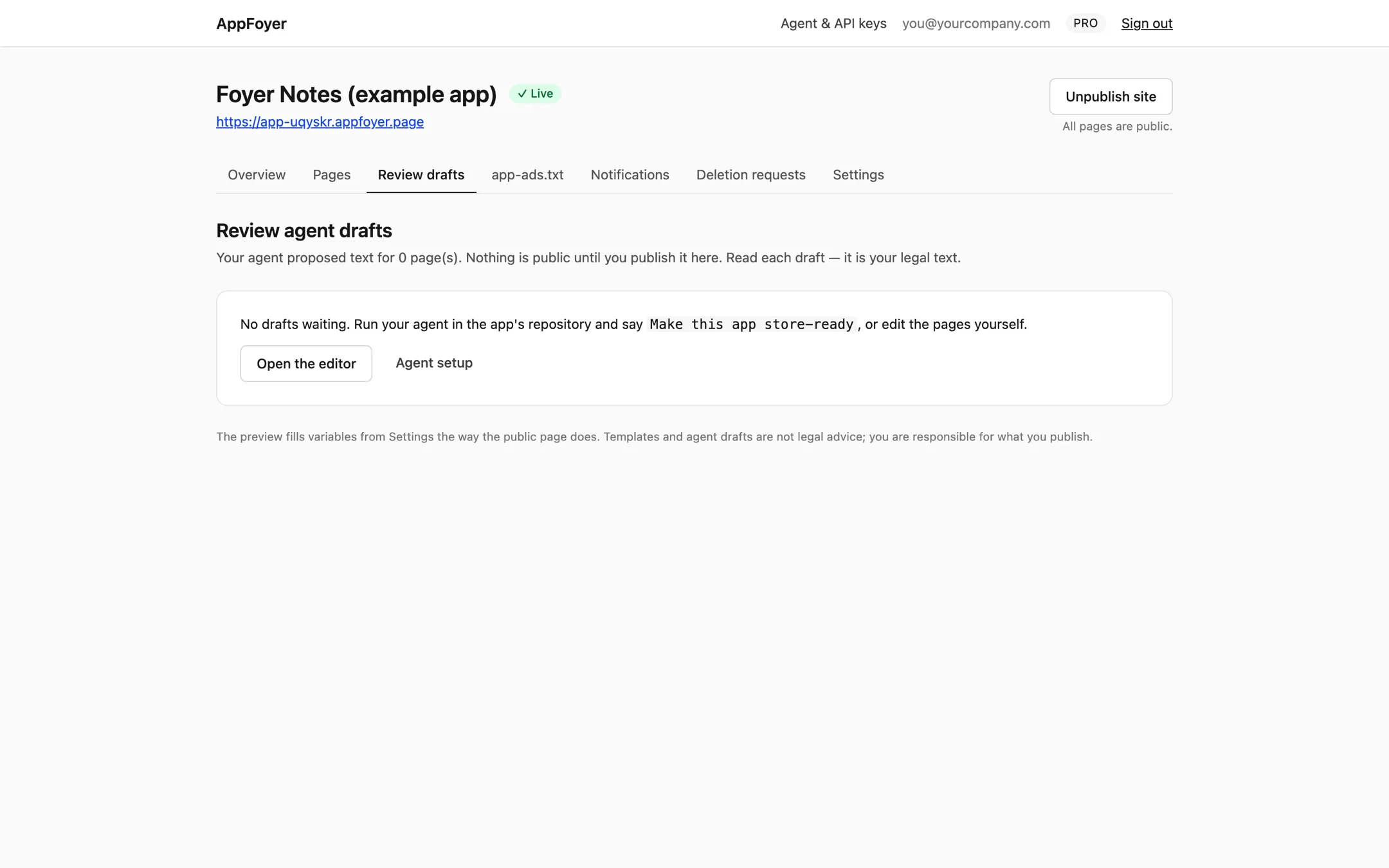
A review screen listing page drafts written by a coding agent, waiting to be approved.
Point the Claude Code plugin at your app's repository and it reads the real build files to draft every page. The drafts land here. Nothing goes public until you read it and press publish — an agent never publishes on your behalf.

Deletion requests reach you, wherever you are
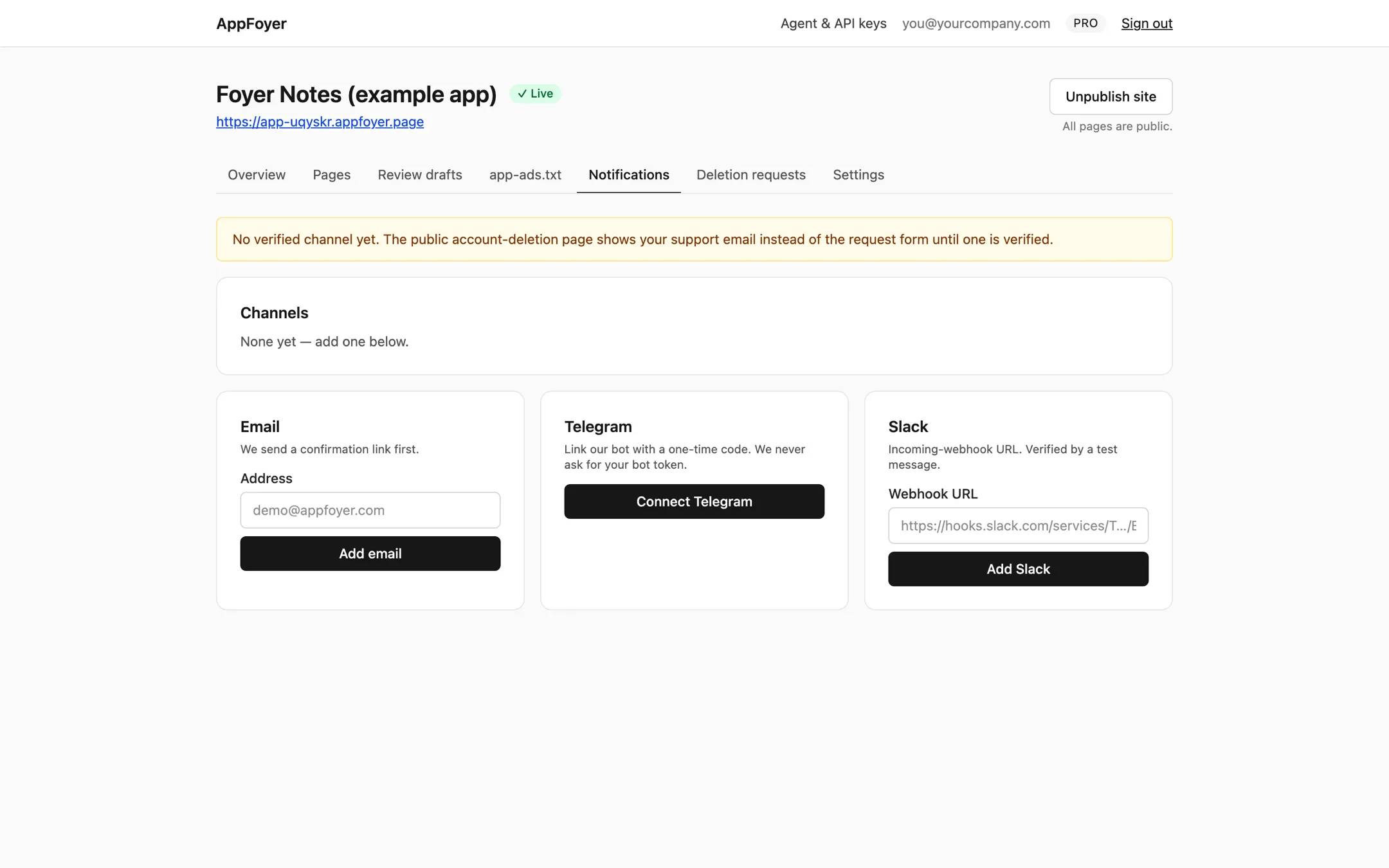
The notification channels screen offering email, Telegram and Slack.
When someone uses your account-deletion page, the request is stored and sent to your email, Telegram or Slack. AppFoyer cannot delete anything inside your own systems — it tells you, and you do the deletion. Until at least one channel is verified, the page shows your support address instead of a form.

Six fields is the whole setup

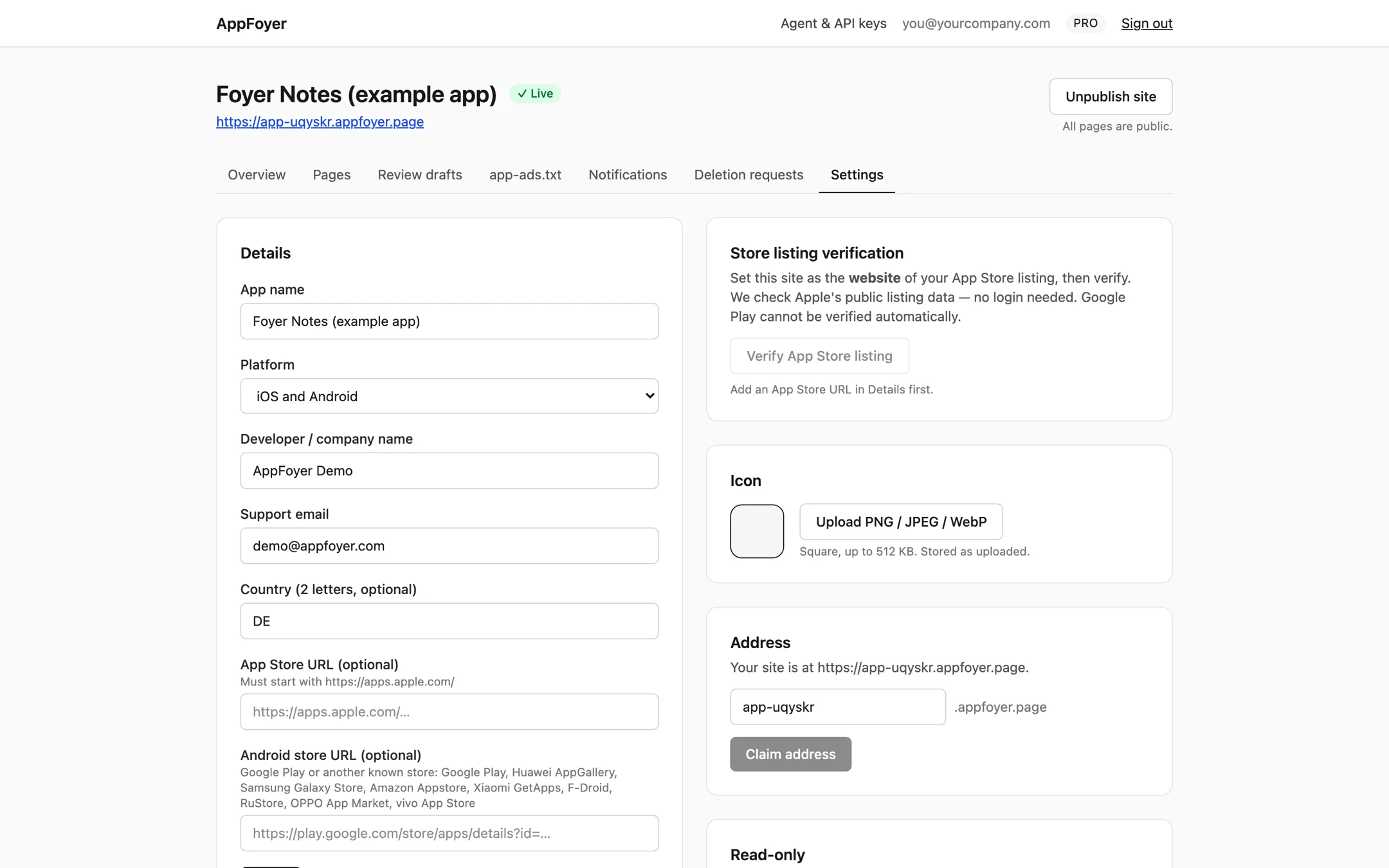
App settings: name, developer name, support email, store listing URLs and the site address.
App name, developer name, support email, jurisdiction and your store listing URLs. That is everything the pages need. Store links are checked against the real app stores, so a page cannot quietly point somewhere else.

Start with the checklist

Free plan: one published app, all five pages, app-ads.txt and the compliance checklist. No card.