Guide Informativa sulla privacy
Scrivere l'informativa sulla privacy della tua app con un assistente IA: un prompt che funziona
Perché "scrivimi un'informativa sulla privacy" ti dà un testo generico, cosa deve far fare invece un prompt all'assistente, e un prompt pronto da copiare in Claude, ChatGPT, Cursor o qualsiasi agente di programmazione.
Dai all'assistente prove, non un questionario. Punta un agente di programmazione sui file di build della tua app così che nomini gli SDK e i permessi che l'app include davvero, fagli chiedere solo ciò che non può sapere, e vietagli di tirare a indovinare: ciò che non si sa diventa una nota [confirm]. Poi verifica che ogni SDK del tuo file delle dipendenze compaia nel risultato.
Fallo invece in pochi minuti
AppFoyer ospita le pagine di cui parla questa guida (informativa sulla privacy, termini, supporto, eliminazione dell'account e app-ads.txt) su un sottodominio dedicato, senza un tuo dominio o server. Un'app è gratis, e niente di ciò che uno store richiede è mai a pagamento.
Verificata il 19 settembre 2026. Le policy degli store cambiano, a volte senza preavviso. Tutto ciò che segue rimanda alla documentazione ufficiale, ed è quella pagina, non questa, a fare fede. Se le due non concordano, ha ragione lo store. Questa guida è tradotta dall'inglese; le citazioni dalla documentazione degli store restano nell'originale inglese.
Un assistente IA scrive un’informativa sulla privacy in dieci secondi. Il problema è da cosa la scrive. Se gli chiedi “scrivi un’informativa sulla privacy per la mia app di fitness”, ha a disposizione solo la parola “fitness”, quindi produce la media di tutte le informative sulla privacy che ha letto: clausole su cookie che la tua app non imposta, identificatori pubblicitari per un’app senza annunci, un periodo di conservazione “per il tempo necessario”, e nessuno degli SDK che includi davvero. Si legge bene. È anche la parte che un revisore dello store confronta con il tuo modulo Data safety e con le tue risposte App Privacy, ed è in quel confronto che non regge.
Perché il prompt di una riga non funziona
- Inventa. Un modello a cui chiedi di riempire una sezione la riempie. Un periodo di conservazione, una base giuridica, l’indirizzo di un’azienda: ognuno plausibile, ognuno un’affermazione sulla tua attività che tu non hai fatto.
- È generico dove deve essere specifico. La sezione che conta di più è l’elenco dei servizi di terze parti, e un modello che non ha visto il tuo file delle dipendenze non può nominarli.
- Dichiara troppo. Elencare dati che non raccogli non è “prudente”. È un disallineamento con le tue stesse dichiarazioni agli store, cioè lo stesso problema nella direzione opposta.
- Formatta per la finestra di chat. Tabelle, note a piè di pagina e HTML inline sembrano a posto nella risposta e arrivano rotti ovunque tu li incolli.
Cosa deve fargli fare un prompt
- Leggere prima le prove. Un agente di programmazione aperto nel tuo repository (Claude Code,
Cursor, Codex e simili) può leggere
build.gradle,Podfile.lock,Info.pliste il manifest, ed elencare ogni SDK e permesso con il file da cui proviene. Quell’elenco è la sostanza dell’informativa. A un assistente di chat senza accesso ai file va detto di chiederti di incollare quei file. - Stare fuori da tutto il resto. I file di build e il manifest bastano. Non c’è motivo per cui
apra file
.env, keystore o codice sorgente, e un prompt che lo dice è una preoccupazione in meno. - Chiedere solo ciò che non si può leggere. Per quanto tempo conservi i dati, se c’è un backend, se l’app è rivolta ai bambini, se condividi dati con un partner che non lascia traccia nella build. Nient’altro va chiesto.
- Rifiutarsi di tirare a indovinare. Dove non sai, scrive
[confirm: …]invece di una frase. Una lacuna visibile si può correggere; una clausola inventata è un’affermazione pubblicata. - Scrivere per il posto dove verrà pubblicato. Markdown semplice, link solo dove sono utili (le pagine sulla privacy dei fornitori stessi, il tuo indirizzo di supporto) e l’avvertenza che il testo non è una consulenza legale.
Il prompt
Copialo per intero. Sostituisci i dati tra parentesi quadre in cima, oppure lasciali e lascia che l’assistente li chieda.
You are helping me write the privacy policy for my mobile app. It will be published as a web page on AppFoyer and its URL goes into the "Privacy policy" field of Google Play and App Store Connect, where reviewers compare it with what the app actually does. Accuracy matters more than length.

## About the app

- App name: [app name]
- Developer / company: [developer or company name]
- Support email: [support email]
- Platforms: [Android, iOS or both]
- Store listings: [store listing URLs, or "not listed yet"]
- Where this policy will be published: [your AppFoyer site URL]/privacy
- What the app collects, as I declared it: [what the app collects — e.g. account info, analytics, ads, crash reports, location, purchases, or nothing]
- Account deletion page: [your AppFoyer site URL]/account-deletion (only if the app has user accounts)
- Country whose law applies: [country, if you have one]

## Step 1 — find the facts

If you can read this app's source code, read only its build, manifest and store-metadata files — for example `build.gradle(.kts)`, `gradle/libs.versions.toml`, `AndroidManifest.xml`, `Podfile.lock`, `Package.swift`, `Info.plist`, `PrivacyInfo.xcprivacy`, `pubspec.yaml`, `package.json`, `app.json`. Do not open `.env` files, keystores, credentials or any other secrets, and do not change any file.

From them, list:

- every third-party SDK or service that collects or receives user data (analytics, ads, crash reporting, sign-in, payments, push notifications, backend, AI APIs) and what it receives;
- every permission the app requests and the feature that uses it;
- whether the app sells in-app purchases or subscriptions (StoreKit, Google Play Billing, RevenueCat and the like).

Show me that list with the file each fact came from, point out anything that contradicts what I declared above, and ask me to confirm it.

If you cannot read the code, ask me to paste the dependency files (for example `app/build.gradle` and `Podfile`) or to list the SDKs and permissions myself.

## Step 2 — ask only what you cannot know

Then ask me, in one short numbered list, and wait for my answers:

1. How long each kind of data is kept, and whether there is a backend (where it runs, what it stores).
2. Whether the app is directed at children under 13.
3. Whether any data is shared with or sold to anyone beyond the services above.
4. Whether the app takes any payments, if the files did not settle it.
5. Anything else you could not determine.

Never guess. Where I do not know an answer, write `[confirm: …]` in the text instead of inventing one.

## Step 3 — write the policy

Sections, in this order, leaving out any that do not apply: Data we collect · How we use it · Third-party services · Purchases and subscriptions · Permissions · Data retention and deletion · Children · Your choices and rights · Changes to this policy · Contact.

- Plain language, short sentences. Describe what this app does; no clauses about things it does not do.
- Under Third-party services, name each provider, say what it receives and why, and link its own privacy policy page.
- Do not invent retention periods, legal bases, company addresses or a data protection officer — use `[confirm: …]`.
- Start with `# Privacy Policy`, then the line `_Last updated: [today's date]_`.
- Write these placeholders exactly as shown, never the values — they are filled in from my settings when the page is published: `{{app_name}}`, `{{developer_name}}`, `{{support_email}}`, `{{public_url}}`.
- In the Contact section, write the address as `[{{support_email}}](mailto:{{support_email}})`.
- If the app has user accounts, link account deletion as `[{{public_url}}/account-deletion]({{public_url}}/account-deletion)` in the retention and deletion section.
- Mandatory if the app is on iOS and has any in-app purchase or subscription — declared above, found in the build files or confirmed by me: in the Purchases and subscriptions section, include this sentence unchanged: For the iOS version, Apple's standard [Licensed Application End User License Agreement](https://www.apple.com/legal/internet-services/itunes/dev/stdeula/) applies to your use of the App. Never leave it out when the app takes payments.
- End with this paragraph, unchanged:

  _This page was generated from a template provided by the hosting platform and completed by the app developer. It is not legal advice. The developer named above is solely responsible for its accuracy and for complying with the laws that apply to them._

## Format — this is pasted into a Markdown editor

- Reply with the finished policy only, as Markdown inside one ```markdown code block, with nothing before or after it.
- CommonMark only: headings, paragraphs, lists, bold, italics and links. No tables, no HTML, no images, no footnotes.
- Links only to the providers' own privacy policy pages, to `{{public_url}}`, to Apple's EULA as above and to the support email. Any other link is shown as plain text on the published page, so leave it out. No link shorteners, no download links.
È scritto per pagine pubblicate su AppFoyer, ed è per questo che chiede segnaposto in stile
{{app_name}} e termina con la nostra avvertenza. Se pubblichi altrove, elimina le righe dello
Step 3 sui segnaposto, sul link di eliminazione e sul paragrafo finale, e chiedi invece i valori.
Prima di pubblicare ciò che ha scritto
L’assistente ha redatto la bozza; sei tu a pubblicarla. Controlla, in quest’ordine:
- Ogni SDK del tuo file delle dipendenze compare nell’informativa, e non compare nulla che non ci sia. È il test meccanico, e quello che di fatto eseguono i revisori.
- Ogni
[confirm: …]è sostituito con una risposta reale, oppure la frase è stata rimossa. - La sezione sulle terze parti corrisponde al tuo modulo Data safety e alle tue risposte App Privacy. Se non coincidono, uno dei due è sbagliato: correggilo, qualunque sia.
- Se l’app accetta pagamenti, il link all’EULA di Apple c’è. Un’app iOS con acquisti in-app o abbonamenti collega l’accordo di licenza standard di Apple (Licensed Application End User License Agreement) dalla sua informativa sulla privacy; il prompt lo richiede, quindi verifica che sia rimasto.
- I periodi di conservazione sono i tuoi. Solo tu sai cosa conserva il tuo backend e per quanto tempo.
- Tutto ciò che è insolito va a un avvocato. Dati sanitari, finanza, bambini, o dati condivisi con un partner: un prompt non cambia ciò che un modello non può coprire.
Cosa fa AppFoyer
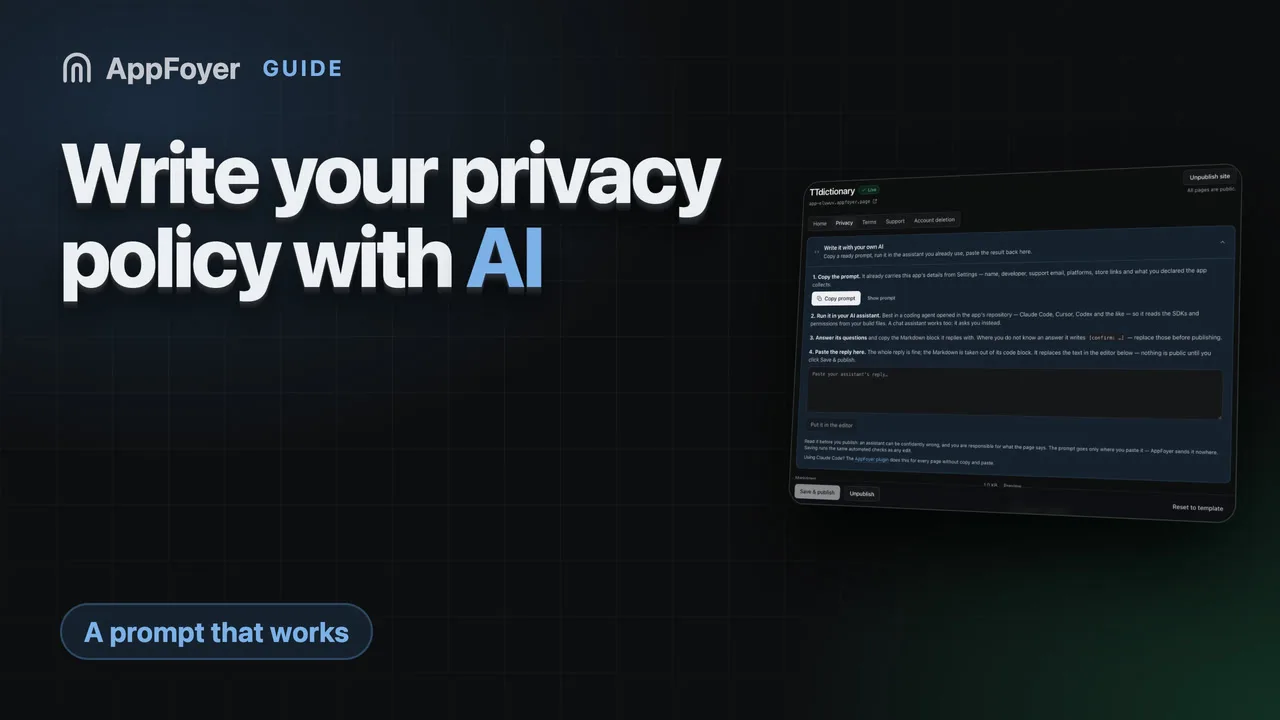
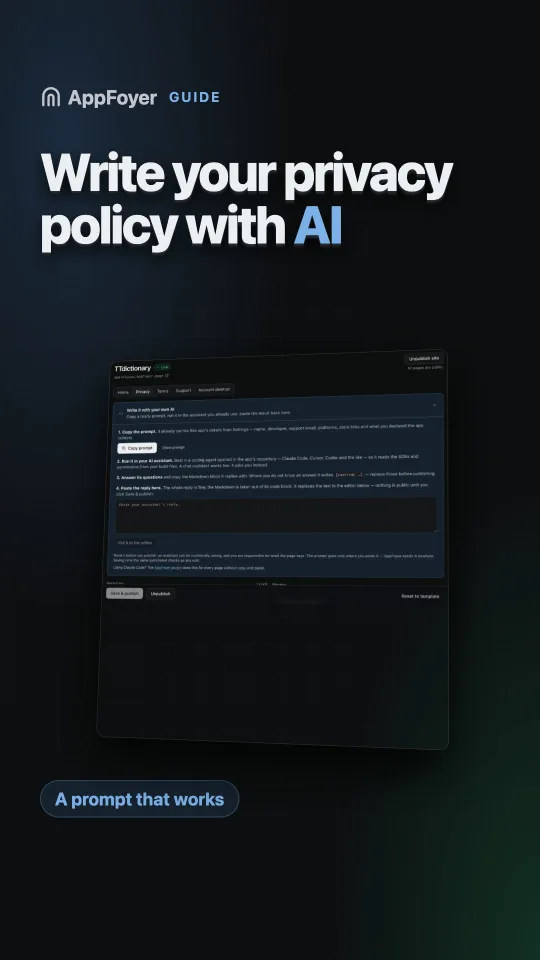
L’editor della pagina della privacy nella dashboard ha un pannello Write it with your own AI: lo stesso prompt, già compilato con il nome della tua app, lo sviluppatore, l’email di supporto, le piattaforme, i link agli store e i dati che hai dichiarato. Copialo, eseguilo nell’assistente che usi, e incolla la risposta nel pannello: il Markdown viene estratto dal suo blocco di codice e inserito nell’editor, dove l’anteprima mostra esattamente cosa verrà pubblicato. Nulla diventa pubblico finché non fai clic su pubblica, e il testo passa gli stessi controlli automatici di qualsiasi altra modifica.
La pagina dei termini ha lo stesso pannello con il suo prompt, riportato in La tua app ha bisogno di termini di servizio?. Se usi Claude Code, il plugin AppFoyer fa lo stesso lavoro per tutte e cinque le pagine senza copia e incolla, e anche lui non può pubblicare. Nessuna delle due strade è una consulenza legale, e ogni pagina lo dice.
Le fonti ufficiali
- Privacy policy requirements — Guida di Google Play
- Provide information for Google Play’s Data safety section — Guida di Google Play Console, sul fatto che i dati degli SDK spetta a te dichiararli
- App privacy details on the App Store — Apple